Crayola Adult Coloring
Red Games Co.Art & Design
4.316.00 Reviews
- Version
- 1.3.2
- Installs
- 10.00K
- Age Rating
- Everyone
Screenshots
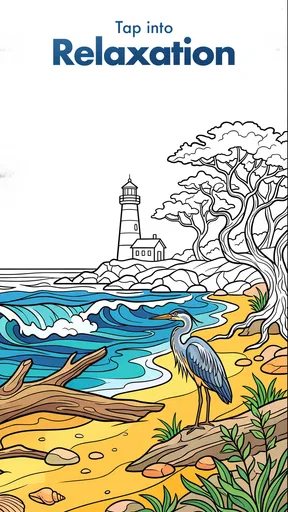
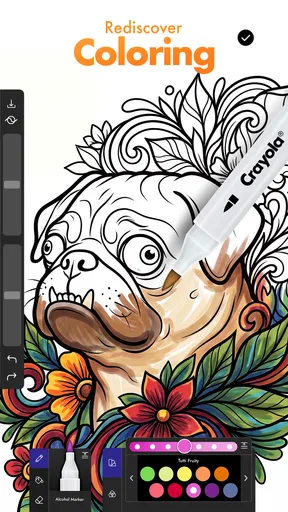
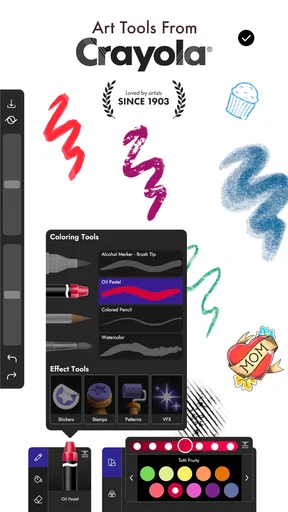
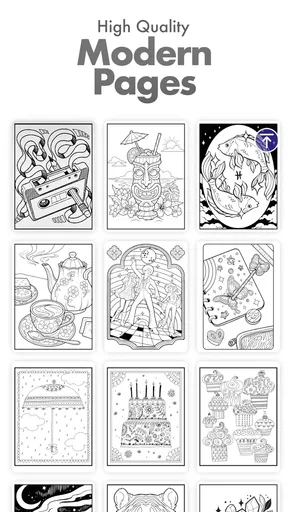
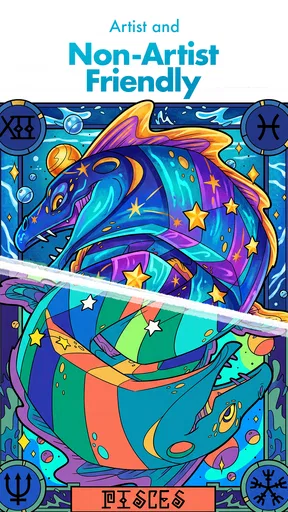

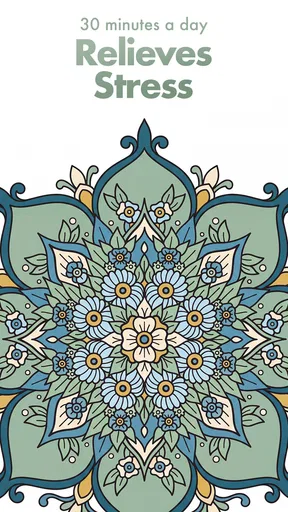
Our Review of Crayola Adult Coloring
 Analysis by Appyee
I spent time with Crayola Adult Coloring as a quiet, low-pressure art app rather than treating it like a full digital illustration studio. That distinction matters. It is aimed at coloring, drawing, and casual creativity, so its best qualities appear when I want something relaxing to do with my hands, not when I need professional layers, precise vector tools, or a complete replacement for desktop art software.
Created by Red Games Co., this free Art & Design app has a 4.3 average from around 78 ratings and has passed 10K+ installs. It is rated Everyone, which makes it easy to consider for a shared family tablet or a simple creative activity, although the presence of optional purchases means I would still check the purchase settings before handing a device to a child.
How I use it when I want a simple creative break
I use it as a small, self-contained creative break: I pick one page, choose a few colors, and give myself permission to stop before finishing. That makes it easier to enjoy the process instead of turning coloring into another task on my list. Next, I look at the simple habits that help the session stay calm and manageable.
The baseline workflow feels deliberately uncomplicated
My usual session starts with a short goal: choose an illustration, select a color, and begin filling areas without trying to make the result perfect. That simple approach suits the app. I do not open it expecting a long setup process, a complicated canvas, or a lesson in digital painting. I open it when I want to settle down after work, occupy my hands during a quiet evening, or give myself a small creative task that does not demand much planning.
The adult coloring focus gives the experience a different rhythm from a blank drawing app. A blank canvas can make me hesitate because I have to invent the subject, composition, and palette from nothing. Coloring gives me a structure immediately. I can concentrate on choosing combinations, keeping a visual balance, and deciding where to stay restrained. For anyone who finds open-ended drawing intimidating, that starting point is one of the strongest reasons to try it.
I found it more enjoyable when I treated each page as a short exercise instead of a project that had to be finished in one sitting. I might choose a limited palette, complete the largest shapes first, and stop before the activity becomes a chore. Returning later with fresh eyes also helps. A color choice that seems too strong at the beginning can look intentional once the surrounding spaces are filled.
That workflow is particularly useful in an everyday situation. Imagine having fifteen minutes before bed, during a commute where a phone is comfortable to use, or while waiting for an appointment. A traditional coloring book would require paper, colored pencils, and enough room to spread out. A general drawing app might leave you staring at an empty canvas. This app sits between those options: it offers a ready-made creative prompt without asking me to prepare a physical workspace.
Color choices are where the app becomes more personal
The basic activity may sound simple, but the result depends heavily on how I approach color. My first instinct was to use many bright shades, yet the pages looked more coherent when I limited myself to a small group of related colors. One practical habit is to choose a main color family, add one contrasting accent, and reserve a neutral or lighter shade for areas that need breathing room.
Another useful approach is to decide on the mood before starting. Cooler colors make a page feel calmer, while warmer combinations create more energy. I also like to repeat one accent color in several separate areas so the finished image feels connected. This is not a special feature; it is simply a better way to use the creative freedom the app provides.
For younger users, the same workflow can become an easy way to experiment with color recognition and visual choices. For adults, it works better as a mindfulness routine than as a test of artistic skill. I would not judge a session by whether the image looks polished. The value is in slowing down, making small decisions, and seeing a picture develop one section at a time.
What makes it different from a blank drawing app
Compared with a general sketching application, Crayola Adult Coloring is less demanding at the beginning. A drawing app usually rewards people who already know what they want to make or who enjoy learning tools such as brushes, layers, opacity, and selection controls. Here, the creative decision is narrower but more approachable: how should I color this image, and what kind of atmosphere do I want it to have?
That focus is also the main trade-off. If I want to sketch a character from scratch, edit a photograph, build a logo, or work with technical precision, I would choose a dedicated drawing or design tool instead. This app is better for guided creativity than for production work. Its value comes from reducing friction, not from giving me every possible artistic control.
Settings and purchase choices deserve a quick check
Because the app is free to download, it is easy to begin without making a financial commitment. Optional in-app purchases range from $0.99 to $59.99 per item, so I would not assume that every piece of content or every creative option is included at no cost. The sensible habit is to look through the available choices before getting deeply invested in a particular routine, especially if the device is shared.
I also recommend checking the device’s purchase protections rather than relying only on the app itself. That is practical advice for any free creative app with optional purchases, but it matters here because coloring can encourage repeated browsing: I may finish one image, see another appealing option, and feel tempted to continue. Setting a clear boundary in advance keeps a relaxing activity from turning into an accidental spending decision.
The current version is 1.3.2, and the app requires at least OS 10. That makes compatibility worth checking before installation on an older phone or tablet. On a supported device, I would still keep the operating system and app reasonably current, because drawing and coloring interfaces depend on responsive touch input. A laggy screen can make a simple activity feel unnecessarily frustrating.
Small habits make sessions faster and calmer
Experienced use is less about hidden shortcuts and more about repeating a sensible order. I start with the background or the largest connected areas, then move toward the smaller details. This reduces the chance that I will spend too long perfecting a tiny section while the overall image still feels unfinished. It also lets me judge the palette early, before I have invested much time.
I avoid switching colors every few seconds. Instead, I finish several areas that share a shade, then change to the next one. That pattern keeps the session flowing and makes the final image more consistent. If I am coloring while tired, I choose fewer colors and accept broader blocks of color. If I am in the mood to experiment, I use contrast more deliberately and revisit areas that look too flat.
A second helpful habit is to pause at natural checkpoints. After completing the main shapes, I look at the image as a whole rather than zooming into details continuously. This prevents me from losing sight of balance. A color that looks attractive in isolation may dominate the page when repeated too often, and stepping back makes that easier to notice.
I would also use a short session timer if my goal is relaxation rather than completion. The app itself does not need to turn the activity into a productivity challenge. Giving myself a small window helps preserve the calm feeling and avoids the common trap of continuing simply because one more section is unfinished.
Where the creative control reaches its limits
The biggest limitation is that this is not the right tool for someone who wants the depth of a professional illustration package. I would skip it if my priority were custom canvas sizes, advanced brush behavior, detailed editing, or a workflow built around exporting polished client work. A dedicated art app will offer more control, even if it takes longer to learn.
I would also think twice if I dislike guided templates. Some artists enjoy the challenge of starting with nothing and building every element themselves. For them, coloring prepared artwork may feel restrictive after the initial novelty fades. The app is most convincing when I want a structured prompt, not when I want unlimited authorship over every line.
There is a subtler limitation too: the simplicity that makes it welcoming can make repeat sessions feel similar if I use the same palette and the same filling order every time. My solution is to change the challenge rather than expecting the app to do it for me. I might use only three colors, create a deliberately muted version, or choose one accent shade and build the rest around it. Those self-imposed rules keep the activity fresh without pretending it is a more complex tool than it is.
Families should consider the difference between an Everyone rating and unrestricted suitability for every situation. The age rating makes the app broadly approachable, but adults should still decide whether optional purchases and screen time fit the household. For a child, I would frame it as a creative activity with a clear time limit. For an adult, I would treat it as a convenient digital alternative to a coloring book rather than as a serious art course.
Who will get the most from it
I think this app is a good match for people who want a gentle entry into digital creativity. It suits someone who enjoys coloring but does not want to carry physical supplies, someone looking for a low-effort evening activity, and someone who prefers a guided image to an empty canvas. It can also work well for a shared creative moment, provided the device’s purchase controls are handled sensibly.
It is less suitable for an illustrator building a portfolio, a designer needing exact layout control, or a hobbyist who mainly wants to draw original scenes. Those users will probably feel more satisfied with a dedicated sketching application. The free starting point is attractive, but the optional purchase range means budget-conscious users should decide early how much of the experience they are willing to access.
My verdict after settling into the routine
Crayola Adult Coloring succeeds because it keeps the first step easy. I can open it, choose a page, and begin making decisions without learning a complex interface. The most rewarding results came when I used repeatable habits: a limited palette, a large-to-small coloring order, regular pauses to view the whole image, and a clear stopping point.
Red Games Co. has positioned this as an accessible creative app rather than a serious digital studio, and that is the right expectation. Its free price makes trying it straightforward, while the Everyone rating broadens its appeal. Just remember that optional purchases can range from $0.99 to $59.99 per item, so a quick settings and spending check is worthwhile before making it part of a family routine.
My honest recommendation is to try it if you want guided, relaxing creativity without the pressure of drawing everything yourself. I would recommend a different app if precision, original illustration, or advanced editing matters more than ease. For short breaks, quiet evenings, and anyone who finds a blank canvas intimidating, this is a pleasant and approachable choice. Its mastery comes not from discovering complicated tools, but from learning how to use its simple coloring workflow with more intention.
Verdict
Strengths of Crayola Adult Coloring
- Large library of relaxing coloring pages for adults
- Simple controls make coloring easy on phones and tablets
- Bright Crayola-style colors create attractive finished artwork
- Suitable for short, calming sessions or longer creative breaks
- Finished designs can be saved and shared with others
Limitations of Crayola Adult Coloring
- Some coloring pages and tools may require in-app purchases
- Ads can interrupt the experience for free users
- Detailed artwork may feel difficult on smaller screens
- Limited features may disappoint users seeking advanced art tools
- An internet connection may be needed for some content or functions
Other Releases by Red Games Co.
View All
Bold Moves Match 3 Puzzles
Word4.3
Similar Picks in This Category
View All
Canva: AI Photo & Video Editor
Canva4.8

PENUP – Drawing-sharing SNS
Samsung Electronics Co., Ltd.4.5

Crafto
Kutumb App4.6

Sketchbook
Sketchbook4.1

ibis Paint X
ibis inc.4.5

Adobe Express: AI Photo, Video
Adobe4.6
Frequently Asked Questions
What is Crayola Adult Coloring, and what can I do with it?
Crayola Adult Coloring is a digital coloring app designed for relaxing, creative sessions on a phone or tablet. It offers detailed illustrations, themed coloring pages, and a selection of digital tools and colors. You can fill areas by tapping, add finer details with coloring tools, and save your finished artwork. It is intended for adults and older users who enjoy casual, stress-relieving creative activities.
Is Crayola Adult Coloring free to download and use?
The app can generally be downloaded at no initial cost, but the available content may depend on the version offered in your region and the platform you use. Some coloring pages, collections, tools, or other features may require in-app purchases or a subscription. Before downloading, check the current store listing for pricing, trial terms, and renewal details so you understand which content is included without payment.
Does Crayola Adult Coloring require an internet connection?
An internet connection may be needed when you first download the app, access certain coloring collections, load advertisements, synchronize content, or complete purchases. Some previously available pages may work offline, but offline access can vary depending on the app version and the content itself. If you plan to color while traveling, open the desired pages beforehand and confirm that they remain available without a connection.
Is Crayola Adult Coloring suitable for children?
Although the app is based on the familiar Crayola brand, its detailed artwork and adult-oriented themes are primarily aimed at older users. Children may still enjoy selected pages, but parents should review the content, advertising, in-app purchase options, and privacy settings before allowing independent use. If a child uses the app, parental controls and purchase restrictions are recommended to prevent accidental transactions.
What devices and permissions does Crayola Adult Coloring support?
Crayola Adult Coloring is designed for compatible Android and iOS smartphones or tablets, although exact operating-system requirements can change with updates. The app may request access related to saving or sharing artwork, notifications, analytics, or purchases. Review the permissions during installation and in your device settings. If your device has limited storage or an older operating system, check the official store requirements first.
